

Redirect Manager 6.4: URL Management with Import, Export, and Search
We are thrilled to announce version 6.4 of the free and open-source Redirect Manager for Optimizely CMS, introducing three powerful new features that make managing your redirect rules easier and more efficient than ever. Whether you're migrating between environments, performing bulk updates, or searching for a specific redirect rule among hundreds, these new features have you covered.

What is Redirect Manager for Optimizely?
A lightweight add-on for Optimizely CMS enables editors and developers to manage URL redirects directly within the CMS. This add-on helps prevent broken links, preserve SEO value, and simplifies site migrations and content changes. It is free and open source.
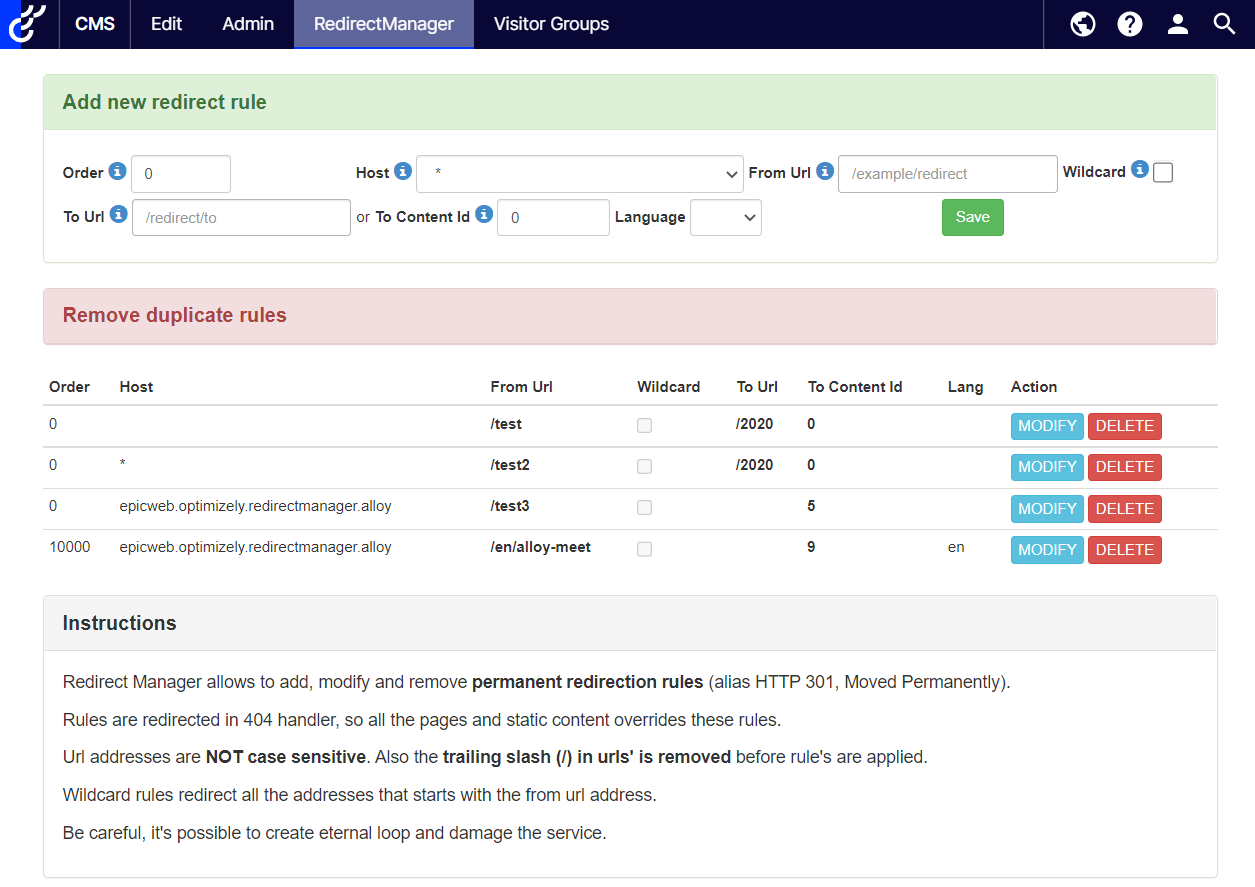
Search Functionality: Find What You Need, Fast
Managing hundreds or even thousands of redirect rules can be overwhelming. The new Search feature lets you quickly filter through your rules in real-time, searching across all the important fields:
- From URL: Find rules by source address
- To URL: Search by destination
- Host: Filter by domain
- Content ID: Look up rules pointing to specific content
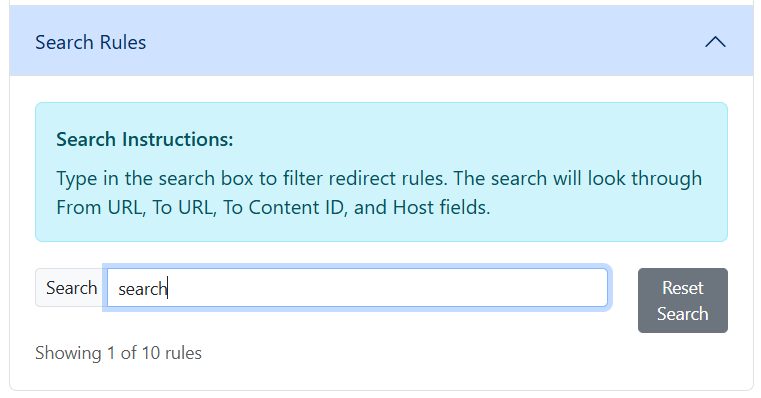
How It Works
Simply type in the search box and watch as the table instantly filters to show only matching rules. The search is:
- Real-time: Results update as you type
- Case-insensitive: No need to worry about capitalization
- Multi-field: Searches across all relevant columns simultaneously
- Smart: Shows you how many rules match your search out of the total
<!-- Example: Search for all rules related to "/products" -->
Type: /products
Result: "Showing 15 of 342 rules"
Perfect for:
- Finding specific redirects during troubleshooting
- Auditing rules for a particular section of your site
- Quickly locating rules that need updating
Export Rules: Backup and Document with Ease
Need to document your redirects, share them with your team, or back them up before making changes? The new Export feature creates beautifully formatted Excel spreadsheets with all your redirect rules.
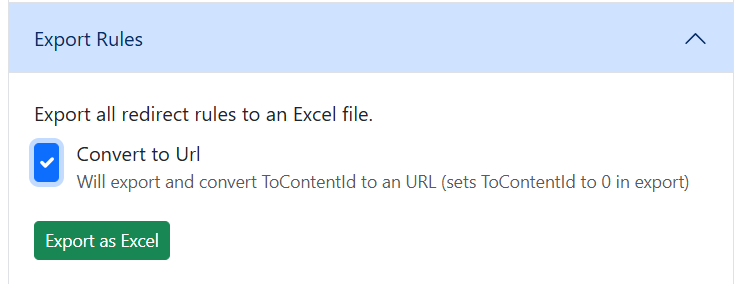
Excel Export (.xlsx)
Creates a professional, formatted spreadsheet with all your redirect rules. Perfect for:
- Documentation and reporting
- Sharing with non-technical stakeholders
- Creating visual representations of your redirect strategy
- Easy viewing and editing in Excel, Google Sheets, or other spreadsheet applications
- Backing up your redirect configuration
The "Convert to URL" Option
The export feature supports an optional Convert to URL checkbox. When enabled:
- Content IDs are automatically resolved to their corresponding URLs
- The
ToContentIdfield is set to 0 in the export - You get human-readable URLs instead of numeric IDs
This is incredibly useful when you want to:
- Review where your redirects actually point
- Share rules with people who don't have access to your CMS
- Document your redirect strategy in a more readable format
Import Rules: Bulk Operations Made Simple
The companion to Export, the new Import feature enables powerful bulk operations on your redirect rules. Upload Excel (.xlsx) files to add or update multiple rules at once.
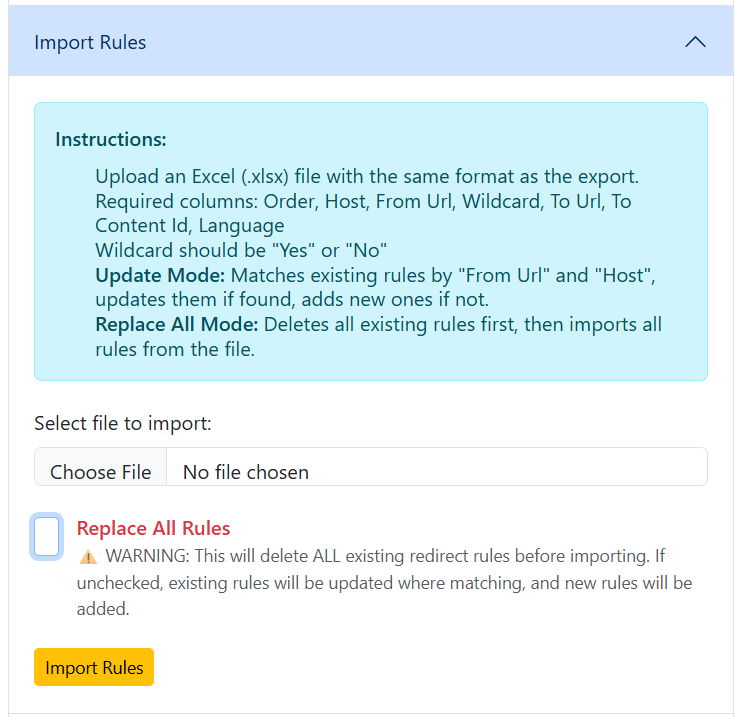
Two Import Modes
1. Update Mode (Default - Safe)
This is the recommended mode for most scenarios:
- Matches existing rules by "From URL" and "Host"
- Updates rules if a match is found
- Adds new rules if no match exists
- Preserves rules not in the import file
Use cases:
- Updating redirect destinations in bulk
- Adding new rules from a prepared file
- Syncing changes between environments
2. Replace All Mode (Use with Caution)
For complete rule replacement:
- Deletes ALL existing redirect rules first
- Then imports all rules from the file
- Perfect for restoring backups or starting fresh
Use cases:
- Restoring a complete backup
- Migrating from another redirect system
- Complete environment setup
File Format Requirements
The import expects a file with these columns:
- Order: Numeric priority (lower numbers processed first)
- Host: Domain name or "*" for all domains
- From Url: Source URL (must start with "/")
- Wildcard: "Yes" or "No"
- To Url: Destination URL
- To Content Id: Numeric ID or 0
- Language: Language code or empty
Error Handling
One of the best features of the import functionality is its robust error handling:
- Detailed Error Messages: See exactly which rows have problems
- Partial Success: Successfully imports valid rows even if some fail
- Clear Feedback: Shows counts of added, updated, and deleted rules
Real-World Scenarios
Scenario 1: Environment Migration
You're moving from staging to production:
- Export all rules from staging as Excel
- Review the exported file
- Import into production using Update Mode
- Search to verify specific rules migrated correctly
Scenario 2: Bulk URL Updates
Your product URLs changed from /products/ to /shop/:
- Export as Excel
- Open in Excel or Google Sheets and update the URLs
- Save and Import back using Update Mode
- Search for "shop" to confirm the changes
Scenario 3: Cleanup and Optimization
Spring cleaning your redirects:
- Export for backup
- Review in Excel, mark rules to keep
- Delete unnecessary rows
- Import with Replace All Mode
- Use the Cleanup feature to remove duplicates
Scenario 4: Documentation
Creating documentation for your redirects:
- Export as Excel with "Convert to URL" enabled
- Get a readable spreadsheet with actual URLs
- Share with marketing/SEO team
- They can request changes without needing CMS access
Pro Tips
- Always Export Before Major Changes: Create a backup export before using Replace All Mode or making bulk updates.
- Use Update Mode First: When unsure, start with Update Mode. It's safer and you can always export, modify, and re-import.
- Convert to URL for Reviews: When exporting for review or documentation, enable "Convert to URL" for better readability.
- Combine Search with Export: Use search to filter rules, then export only what you need (note: current version exports all rules, but search helps you identify what to focus on).
- Test in Non-Production First: Try import/export workflows in development or staging environments before production.
Links
Open Source link: https://github.com/Epicweb-Optimizely/Epicweb.Optimizely.RedirectManager/
Nuget link: Epicweb.Optimizely.RedirectManager 6.4.0 - Optimizely Nuget